
Strong Zoom interview tips come down to three things: a tech setup that will not fail you, eye contact that feels real on camera, and answers you can deliver without sounding scripted.
Get those right and a Zoom interview asks no more of you than any other interview.
The 21 tips below walk you through each one, in the order you will actually need them.
Zoom interview tips 2026
Work through the 21 tips below in the order you will need them, from the tech checks the day before to the follow-up you send afterward.
1. Test your tech a day early
Check your camera, microphone, and internet at least a day ahead, then check again about 20 minutes before the call.
Early testing gives you time to fix a problem.
Last-minute testing only tells you one exists.
2. Line up a backup plan
Keep a charged phone, a mobile hotspot, and the interviewer's email or phone number within reach.
If your home connection drops, you can switch over in seconds instead of vanishing from the call.
A calm recovery depends on having the backup ready before you need it.
3. Update Zoom and restart beforehand
Update the Zoom app and restart your computer well before the interview.
A forced update at the wrong moment is one of the most common reasons people join late and flustered.
A fresh restart also clears the background programs that can slow your machine down.
4. Research the company and your interviewers
Learn the company, the role, and the people you are meeting.
Knowing a recruiter's name and background lets you speak to them directly rather than to a screen full of strangers.
It also helps you tailor your examples to what the team actually cares about.
5. Rehearse your answers out loud
Practice your answers aloud, ideally on a mock Zoom call with a friend.
Saying your answer to "tell me about yourself" in your head is not the same as hearing it come out of your mouth on camera.
A run-through also surfaces the answers that sound clear in your notes but tangle when you speak them.
6. Raise your camera to eye level
Prop your laptop on a stack of books or a stand so the camera sits level with your eyes.
A camera below your chin makes the interviewer feel looked down on, which changes the tone before you say a word.
Eye-level framing looks natural and keeps your posture upright.
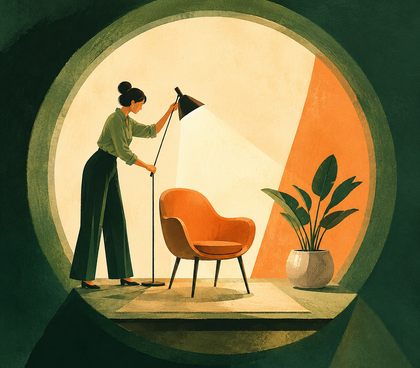
7. Put your light source in front of you
Face a window or a lamp so the light falls evenly on your face.
A bright window behind you turns you into a dark shape, which is the single most common lighting mistake on video calls.
If you only fix one thing about your setup, fix this.
8. Keep your background plain
Choose a clean, neutral background, or use a subtle blur if your room is not ideal.
Skip the novelty virtual backgrounds, since they flicker around your hair and pull focus away from you.
The aim is a space the interviewer barely notices.
9. Clear the space of interruptions
Silence your phone, turn off desktop notifications, close spare browser tabs, and let anyone you live with know you are interviewing.
Put pets in another room if you can.
Every avoidable noise or pop-up is a moment the interviewer spends thinking about something other than your answer.
10. Move the interviewer's window under your webcam
Drag the interviewer's video window to the very top of your screen, directly beneath your webcam.
Now their face and the lens sit in almost the same place, so when you glance at their expression you are also glancing near the camera.
You get genuine eye contact without losing the ability to read their reactions.
11. Hide your self-view
Switch off your own video once your framing is set.
Watching yourself for 45 minutes is draining and makes you self-conscious, and you do not need it after the initial check.
With your own face gone, your attention stays where it belongs, on the conversation.
12. Save eye contact for your key moments
Look at the lens on your opening line, your strongest example, and your closing question, then let your gaze rest naturally on the interviewer's window the rest of the time.
Nobody holds unbroken eye contact in real life, and forcing it on camera looks intense rather than warm.
Reading the signs an interview is going well depends on being able to see their reactions, so do not hide their faces entirely.
13. Write notes as trigger words
Keep your notes to single trigger words, not full sentences.
A note that reads "Rivera project: 30% faster" prompts your memory with one glance, while a full paragraph forces your eyes to track left to right across the screen.
That side-to-side movement is exactly what gives reading away.
14. Stack your notes under the camera
Place your notes in a narrow column directly under your webcam, along with your resume and your list of questions.
Notes on a second monitor pull your eyes sideways, which is far more obvious than a quick downward flick.
Used this way, notes work as a safety net rather than a script, so you remember which behavioral question story to tell and then tell it like a person.
15. Dress fully, head to toe
Dress exactly as you would for an in-person interview, including what is below the frame.
It puts you in the right mindset, and it saves you from an awkward moment if you need to stand up to close a door or grab a charger.
Solid colors sit better on camera than busy patterns, which can shimmer on lower-quality video.
16. Lift your energy for the camera
Sit up, lean in slightly, and amplify your warmth rather than your volume.
Video flattens your energy, so what feels like normal warmth to you reads as slightly muted to the person watching.
Nod while listening and smile when it is natural, but do not push the gestures so far that you look nervous.
17. Use mute wisely
Mute yourself when you are not speaking if your space is noisy, and build a habit of unmuting before you start talking.
A dog barking through your best answer is a distraction, but speaking on mute for ten seconds is worse.
A quick check of the mute icon before each answer becomes second nature fast.
18. Pause before you answer
Wait a full beat after the interviewer finishes a question before you respond.
Video adds a small audio delay, so they may not be quite done, and the pause gives you a moment to organize your thoughts.
This helps most on tougher questions about your strengths and weaknesses.
19. End answers with a clear full stop
Close each answer with a clear verbal signal, something like "So that is the approach I would take."
On video, trailing off into silence leaves the interviewer unsure whether you have finished, and that uncertainty is what causes the awkward overlaps.
A clean ending hands the conversation back without a collision.
20. Send a thank-you email within 24 hours
Send a short thank-you email within a day of the interview.
Keep it to a few lines: thank them for their time, mention one specific thing from the conversation, and restate your interest in the role.
It is a small courtesy that keeps you fresh in their mind.
21. Record yourself and watch it back on mute
Record a mock run beforehand and watch it back with the sound off.
Muting the audio stops you focusing on what you said and forces you to see what the interviewer sees: your posture, your framing, and whether your face looks engaged or frozen.
It is the fastest way to catch a habit you did not know you had.
What not to do during a Zoom interview?
The fastest way to weaken a strong Zoom interview is to let an avoidable habit distract from your answers.
Beyond the setup and delivery points already covered, these are the mistakes that quietly cost people offers, and none of them take much effort to avoid.
- Do not confuse the time zone: Confirm whether the invite time is in your zone or theirs. Arriving an hour late to your own interview is a hard first impression to recover from.
- Do not speak negatively about a current or former employer: Even a fair complaint makes an interviewer wonder how you will one day talk about them. Frame past frustrations around what you learned instead.
- Do not eat, drink anything but water, or chew gum on camera: The frame is close, so small habits look large, and none of them signal focus.
- Do not bury your points under jargon or buzzwords: Clear, plain answers are easier to follow and easier to remember. Heavy jargon often reads as covering for a thin answer.
- Do not give thin, one-word replies: Short answers stall the conversation and leave the interviewer doing the work of drawing you out. Aim for a clear point plus a brief example.
- Do not forget to prepare questions to ask them: Having nothing to ask at the end suggests low interest. Prepare two or three about the role, the team, and what success looks like.
The common thread is respect for the interviewer's time and focus.
Small courtesies on camera carry more weight than they would in a room, because there is less else for the eye to settle on.
Key takeaways
- Test your camera, microphone, and internet a day early and again 20 minutes before, and keep a charged phone and the interviewer's contact details as a backup.
- Set your camera at eye level with your light source in front of you, never behind, so your face is clear and evenly lit.
- Drag the interviewer's video window directly under your webcam and hide your self-view, so you get real eye contact while still reading their reactions.
- Use notes as single trigger words placed under the camera, not full sentences on a side screen, because visible eye movement is what gives reading away.
- Pause a beat before answering and end each answer with a clear verbal full stop to avoid the talking-over-each-other problem that audio delay causes.

Frequently asked questions
If you are still weighing a few specific worries before your call, these are the questions job seekers ask most often.
Can the interviewer tell if you are reading from notes?
Often, yes. Reading full sentences makes your eyes track from side to side, and that movement is noticeable on camera.
Keep notes to short trigger words placed directly beneath your webcam, and you can glance at them with a quick downward flick that looks like natural thinking rather than reading.
What do you do if your internet cuts out mid-interview?
Stay calm and switch to your backup immediately.
Rejoin from the same link, or dial in by phone using the number in the invitation.
When you return, give one brief apology, then pick up where you left off. Interviewers care far more about how you recover than about the glitch itself.
How early should you join a Zoom interview?
Join about five minutes early. It shows professionalism, gives you a moment to settle, and leaves time to fix any last-second issue before the interviewer arrives.
Joining more than ten minutes early is not necessary, since you may simply sit in the waiting room.
Should you use a virtual background for a Zoom interview?
Only if your real background is genuinely distracting.
A subtle blur is usually the safer choice, because full virtual backgrounds tend to flicker around your hair and shoulders and can look unstable on lower-quality video.
A plain, tidy wall behind you works better than any digital background.
What should you wear for a Zoom interview?
Dress as you would for an in-person interview at that company, in solid colors that sit well on camera.
Wear full professional attire, including below the frame, so you are covered if you need to stand up.
When unsure of the dress code, it is safer to be slightly overdressed than too casual.
Is a Zoom interview easier than an in-person interview?
Not necessarily, but it is different. You lose some of the natural rapport of a shared room, and you gain the ability to keep notes on screen.
The candidates who do best treat it with the same seriousness as an in-person meeting while using the format's advantages.