

AI is changing the workplace by automating routine tasks, supporting faster decisions with data, and increasingly running multi-step workflows through AI agents.
Most jobs are not disappearing. Instead, the tasks inside them are shifting toward judgment, oversight, and skills that AI cannot easily replicate.
How is AI used in the workplace?
AI shows up in the workplace as task automation, content generation, and decision support built into the tools employees already use, not as a separate project bolted on top of daily work.
It handles the repetitive parts of a job so people can spend more time on work that requires judgment.
The shift shows up differently depending on the department:
- Customer service. Chatbots and virtual assistants resolve routine questions and hand off complex cases to a human agent.
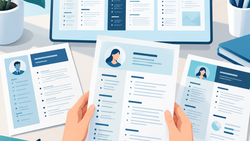
- Human resources. Recruiting tools screen resumes and shortlist candidates. 58% of recruiters now use AI in recruitment, and 36% specifically for resume matching (Resume.io, Resume Statistics, 2025), though this comes with real AI hiring bias risks that HR teams are still working through.
- IT and operations. AI monitors systems, flags anomalies, and automates repetitive processes such as ticket triage.
- Finance. AI detects fraud patterns and automates expense tracking and financial reporting.
- Marketing and sales. Predictive tools identify which leads are likely to convert and personalize outreach at scale.
Across every one of these functions, the pattern is the same.
AI removes the manual, repetitive layer of a task and leaves a person to check, refine, and decide.
A marketer who used to spend an afternoon drafting ten versions of ad copy now spends that time deciding which version fits the brand and testing it.
The task changed, but the job did not disappear.
This is why AI adoption tends to feel gradual rather than sudden inside most workplaces.
Companies are automating pieces of a workflow, not replacing whole roles overnight, which means the practical skill most workers need first is knowing which parts of their job are worth handing to AI and which parts still need a human decision.
Can AI replace human jobs in the near future?
No, AI is unlikely to replace most jobs in the near future, though it is already changing what those jobs require.
The bigger shift over the next few years is in how people work day to day, not whether they have work at all.
Jobs built on repetitive, predictable tasks face the most pressure.
Data entry, basic scheduling, and routine content drafting can already be automated in large part.
Jobs that depend on judgment, physical dexterity, or emotional intelligence, such as skilled trades, healthcare, and people management, are much harder to automate and remain in high demand.
That said, the fear itself is real and measurable.
81% of US workers are actively pushing to prove their value at work amid AI and layoff fears (Resume.io, Work Pressure and AI Replacement Study, 2026).
A large share of that pressure is more about visibility than output.
67% of US workers feel pressure to appear busy in order to prove their value in an AI-driven workplace (Resume.io, Work Pressure and AI Replacement Study, 2026).
In other words, the anxiety many people feel is less about AI doing their job and more about being seen as replaceable, which is a very different problem to solve than skill gaps alone.
Some sectors are already navigating real AI job displacement in entry-level administrative and routine cognitive roles, even as demand grows elsewhere for people who can direct and evaluate AI tools.
What skills will workers need to stay relevant as AI grows in the workplace?
The AI skills that matter most blend AI literacy, critical thinking, and domain expertise, not a computer science degree.
The most durable skill set combines knowing what AI can and cannot do with the judgment to apply it well.
AI literacy means understanding the basics: what generative AI and AI agents are good at, where they tend to fail, and how to fold AI into an existing workflow rather than treating it as a separate tool.
Critical thinking rounds this out, since AI can produce fluent, confident answers that are simply wrong, and workers who can spot that gap are the ones organizations trust with more responsibility, not less.
Beyond those two, a few areas consistently come up as the ones worth building:
- Domain expertise. Deep knowledge of a specific field, paired with AI fluency, tends to outperform AI fluency alone. An accountant who understands the numbers and uses AI to speed up analysis brings more to the table than someone who only knows the tools.
- Data literacy. Comfort with spreadsheets, dashboards, and basic statistics, without needing to become a data scientist.
- Communication. As AI makes producing text and analysis cheaper, explaining ideas clearly and asking precise questions carries more weight than it used to.
- Adaptability. 70% of the skills that most jobs require are expected to change by 2030 (LinkedIn Workplace Learning Report, 2025), so the ability to keep learning new tools matters more than mastering any single one.
Analytical thinking and creative thinking rank among the fastest-growing core skills employers are looking for (World Economic Forum, Future of Jobs Report, 2025), which lines up with the idea that AI raises the value of judgment rather than lowering it.
This kind of AI skill building is now part of how to grow your career in almost any field, and once you have real experience with these tools, AI certifications can help make that visible on your resume.
How do I use AI in my workplace?
Start by identifying one repetitive task in your role and testing whether an AI tool can handle a first draft of it, then build from there.
This keeps the learning curve small and avoids the common mistake of trying to overhaul an entire workflow at once.
A practical way to build the habit:
- Pick one task. Choose something repetitive and low-risk, such as summarizing meeting notes or drafting a first version of a routine email.
- Test the AI tool your company allows. Use whatever generative AI tool your employer has approved, since using an unapproved tool can raise real data privacy concerns.
- Check the output before you use it. Treat the first draft as a starting point, not a finished product. Fact-check anything with numbers, names, or dates.
- Note what worked and what did not. Keep a running sense of which tasks AI genuinely speeds up and which ones still need to be done by hand.
- Expand gradually. Once one task is reliably faster and accurate, apply the same approach to a second task.
This slow, task-by-task approach avoids the two most common mistakes: over-relying on AI output without checking it, and avoiding AI altogether out of uncertainty about where it fits.
It also mirrors how most people learn AI skills on the job, through small, low-risk trials rather than one big leap.
Is it acceptable to use AI in the workplace?
Yes, using AI at work is generally acceptable when you follow your employer's policy and stay accountable for the result.
The concern is rarely the tool itself. It is whether the work is accurate, whether sensitive data was protected, and whether the person using it stayed accountable for the outcome.
Most organizations that have adopted AI clearly expect employees to disclose when it was used, particularly for client-facing or high-stakes work, and to keep a human reviewing anything before it goes out the door.
Using AI to draft a first version of an internal report is very different from using it to generate a final client deliverable without review.
A few signs your use of AI is on solid ground:
- You used a tool your employer has approved, not a personal account with unclear data handling.
- You disclosed AI's role in the work if your company expects that for this type of task.
- You would be comfortable telling your manager exactly how you used it.
Workplace norms here are still catching up to the technology, so when in doubt, err toward disclosure.
Left unresolved, that kind of ambiguity often becomes one more source of pressure at work, showing up alongside other signs of burnout at work like shorter tempers and a persistent sense of falling behind.
Key takeaways
- AI is changing tasks inside most jobs rather than eliminating jobs outright, with the clearest impact on repetitive, predictable work.
- Most workers feel pressure to prove their value in an AI-driven workplace, and that pressure is often about visibility, not actual output.
- The strongest skill set combines AI literacy and critical thinking with deep expertise in your own field, not a switch to a purely technical role.
- Start using AI at work with one low-risk task, check the output before relying on it, and expand only once that task is reliably accurate.
- Using AI at work is broadly acceptable when it follows your employer's policy, protects sensitive data, and is disclosed where expected.
FAQs
Have more questions about AI in the workplace? Here are quick answers to a few common ones.
Which jobs are most at risk from AI in the workplace?
Roles built on repetitive, predictable tasks face the highest risk from AI in the workplace, including basic data entry, routine scheduling, and simple customer support.
Roles requiring judgment, physical dexterity, or emotional intelligence, such as skilled trades, healthcare, and management, are far more resistant.
Will most jobs disappear because of AI in the workplace?
No, most jobs are not expected to disappear because of AI.
Experts generally expect AI to redesign jobs and shift the tasks inside them rather than eliminate them outright, with some routine and entry-level roles shrinking while new AI-adjacent roles emerge.
Do I need to tell my employer if I use AI at work?
Yes, in most workplaces you should disclose AI use, particularly for client-facing or high-stakes work.
Many employers now expect disclosure as part of their AI policy, and checking your company's specific guidance is the safest way to avoid a misstep.