

Adding your LinkedIn profile to your resume is one of those small choices that can help your application or quietly work against it.
Resume.io breaks down when the link earns its place, where to put it, and when you are better off leaving it off.
Should you put LinkedIn on your resume?
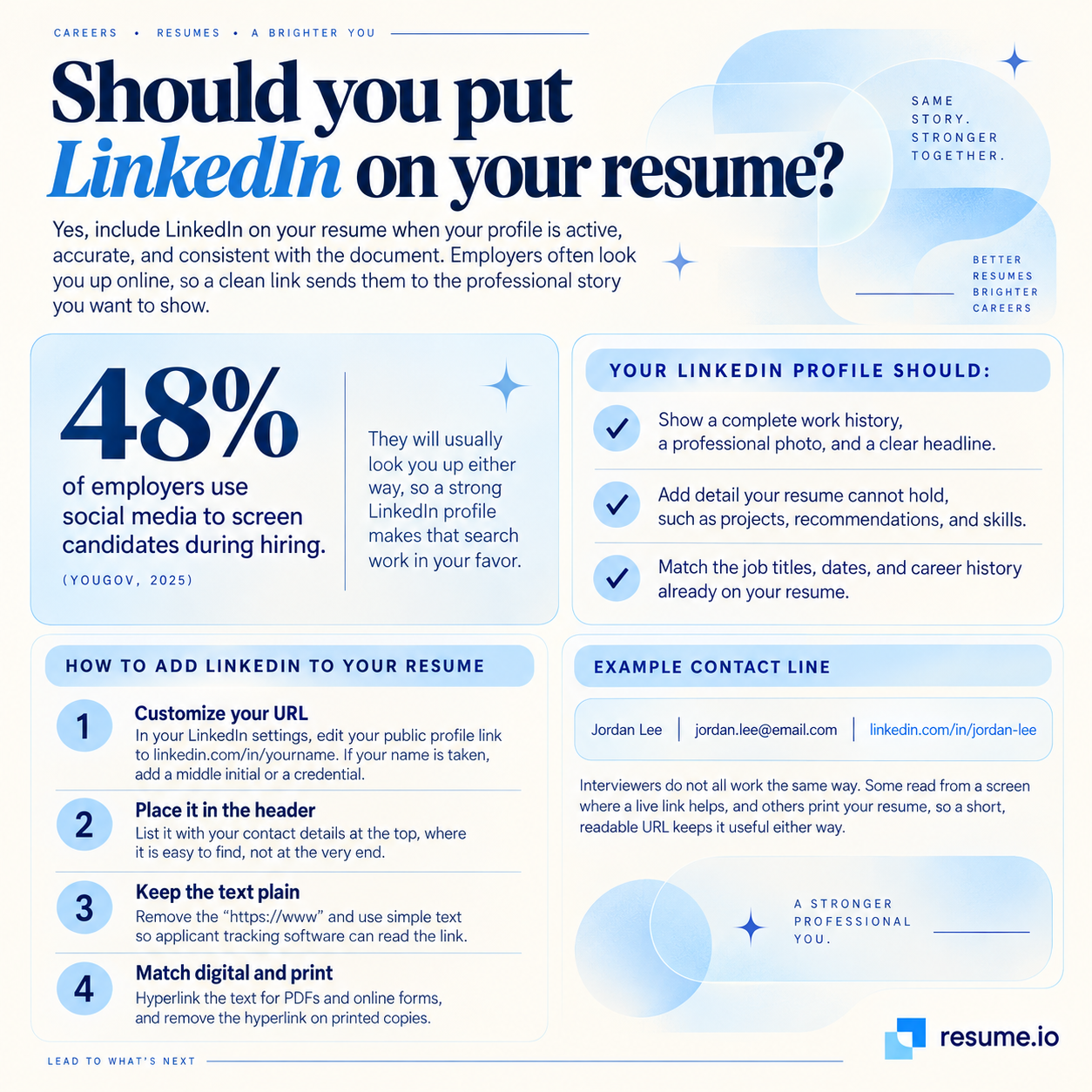
Yes, put LinkedIn on your resume when the profile is active, accurate, and matches your history.
Employers usually look you up online during hiring, so a clean link sends them to the professional record you want them to see rather than leaving them to search on their own and guess which profile is yours.
The numbers back this up.
48% of employers use social media to screen candidates during hiring (YouGov, 2017), so a well-kept profile turns an inevitable search into an advantage.
Your profile earns its place on your resume when it does the following:
- Shows a complete work history, a clear photo, and a strong headline
- Adds detail your resume cannot hold, such as projects, recommendations, and skills
- Matches the job titles, dates, and career history already on the page
It is worth linking once you have built out a complete profile a hiring manager would be glad to open.
If it is not there yet, the fix is quick and worth doing before you apply.
Where and how do you put LinkedIn on a resume?
Put your LinkedIn URL in the contact header at the top of your resume, next to your email and phone number, and clean up the link before you add it.
In digital versions, hyperlink the text so a recruiter can reach your profile in a single click.
Follow these steps to add it well:
- Customize your URL: In your LinkedIn settings, edit your public profile link to linkedin.com/in/yourname. If your name is taken, add a middle initial or a credential.
- Place it in the header: List it with your contact details at the top, where it is easy to find, not buried at the end.
- Keep the text plain: Remove the "https://www" and use simple text so applicant tracking software can read the link.
- Match digital and print: Hyperlink the text for PDFs and online forms, and remove the hyperlink on printed copies.
Here is how it looks in a contact line:
- Jordan Lee | jordan.lee@email.com | linkedin.com/in/jordan-lee
Interviewers do not all work the same way.
Some read from a screen, where a live link helps, and others print your resume, so a short, readable URL keeps it useful either way.
When should you leave LinkedIn off your resume?
Leave LinkedIn off your resume when the profile is not ready, when privacy matters more to you than the extra exposure, or when a recruiter already found you there.
An unfinished or neglected profile does more harm than leaving the line off altogether.
Skip the link in these cases:
- Your profile is thin, outdated, or half-built.
- You would rather limit who can see your work history and connections.
- A recruiter sourced you from LinkedIn already, so the link repeats what they have.
- Your field does not expect it, as with some trades, clinical, and administrative roles.
There is a real cost to pointing employers at the wrong impression.
1 in 5 employers reject candidates after reviewing their social media (YouGov, 2017), so a weak profile is a reason to fix it first, not to link it in a hurry.
Privacy is a fair reason too.
Plenty of experienced professionals keep their profile quiet on purpose, and a resume works perfectly well without the link.
Treating "always include it" as a hard rule is the common mistake.
Add LinkedIn when it strengthens your case, and hold it back when it does not.
Key takeaways
- Add your LinkedIn URL when your profile is complete, current, and consistent with your resume.
- Put the link in your contact header and shorten it to linkedin.com/in/yourname.
- Use plain text so applicant tracking software can read it, and hyperlink it in digital versions.
- Leave it off when your profile is unfinished, when privacy is a priority, or when a recruiter already sourced you there.
- A profile worth reading, linked well, adds proof that a one-page resume cannot show.
Frequently asked questions
A few common questions come up when adding LinkedIn to a resume.
How do I indicate LinkedIn on my resume?
List it as plain text in your contact header, written as linkedin.com/in/yourname alongside your email and phone number.
You do not need a "LinkedIn" label, since the address makes the platform clear.
In digital resumes, hyperlink the text so it opens in one click.
How do I get my LinkedIn URL?
Open your LinkedIn profile and select "Edit public profile & URL" in the top right.
Your public link appears there, and you can customize the ending to your name.
Copy it from that panel or straight from your browser address bar.
Can you use LinkedIn as a resume?
No, LinkedIn supports a resume but does not replace it.
A resume is a tailored, one or two page document for a specific role, while your profile is a broader professional record.
You can upload your resume to LinkedIn, though most employers still expect a separate, targeted resume.