

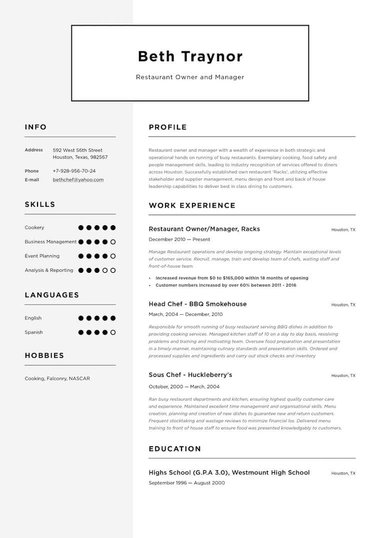
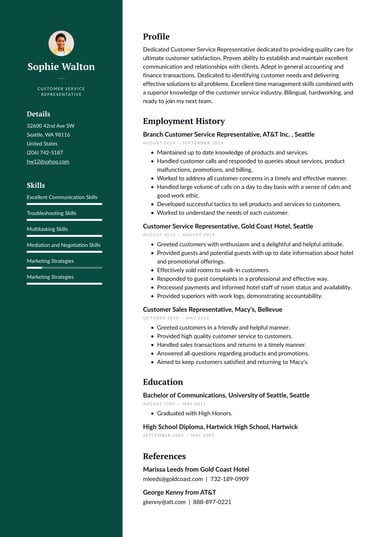


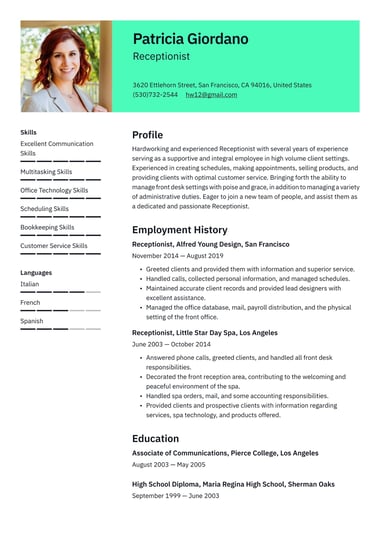
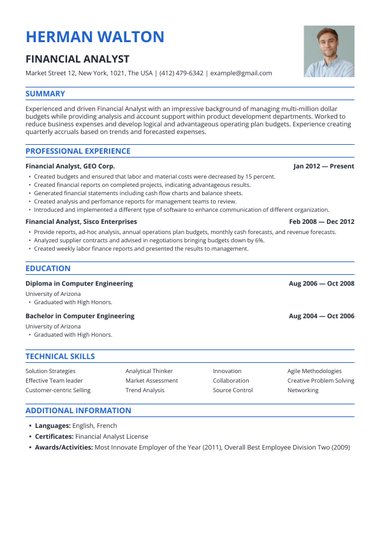
Resume.io classic resume templates follow the layout recruiters have trusted for decades: your name and contact details at the top, a short summary, and your work history in reverse-chronological order.
Pick a template, add your experience, and download a resume that is ready to send.
What is a classic resume template?
A classic resume template is a traditional resume layout with a clear header, standard section headings, a conventional font, and a black-and-white or muted color scheme.
It presents your career in reverse-chronological order, so a recruiter can follow your progression at a glance.
Classic and traditional resume templates describe the same style.
A classic resume leaves out photos, graphics, icons, and skill bars, so every design choice serves one purpose: making your experience easy to read.
That restraint is why classic templates remain a standard choice in fields where employers expect a formal, professional presentation.
A classic resume differs from a simple resume template mainly in tone.
A simple template is defined by how little it includes, while a classic template is defined by how formal it looks, often with serif fonts, centered headers, and ruled lines between sections.
What does a classic resume look like?
A classic resume looks formal and orderly: a name-led header, clearly labeled sections, a traditional font, and black text on a white background.
Sections follow a fixed order, dates sit in a consistent position, and white space separates each part of the page so nothing feels crowded.
Seven elements define the classic look:
- Header: Your full name in a slightly larger font, followed by your phone, email, city and state, and LinkedIn URL.
- Fonts: Traditional typefaces such as Times New Roman, Garamond, Georgia, Arial, or Calibri, at 10 to 12 points for body text and 14 to 16 points for your name.
- Color: Black and white, with one muted accent such as navy or dark gray at most.
- Layout: Margins of around one inch, with clear lines or spacing between sections.
- Section headings: Conventional labels, such as Summary, Work Experience, Skills, and Education.
- Bullet points: Simple round bullets or dashes under each role.
- No visuals: No photo, icons, charts, or skill rating bars.
The result reads the same way on screen and on paper, which is one reason classic templates suit printed applications and in-person interviews.
What resume format is considered the most traditional?
The reverse-chronological format is the most traditional resume format.
It lists your work experience with the most recent job first and works backward.
Of the three main resume formats, reverse-chronological, functional, and hybrid, it is the one most hiring managers picture when they think of a classic resume.
A reverse-chronological resume contains these sections, in this order:
- Contact information: Your name, phone, email, city and state, and LinkedIn or portfolio URL. See what to include in your contact information.
- Professional summary: Two to three sentences on your most important skills, expertise, and accomplishments.
- Skills: A list of relevant hard and soft skills.
- Work history: Your jobs, starting with the most recent.
- Education: The name of the school, its location, and your degree.
- Other relevant information: Certifications, licenses, languages, or older work experience.
The format is especially useful if you have a clearly defined career path, since it shows a linear progression from the start of your career to today. It also keeps the section recruiters care about most easy to find.
61% of hiring managers read the experience section first (Resume.io Resume Statistics Report, 2025), so a clear, dated work history meets them where they already look.
When should you use a classic resume template?
Use a classic resume template when you apply in a field that values formality, stability, and a clear career record.
Finance, law, healthcare, education, government, and accounting are the most common examples.
A classic template also suits steady career histories, senior roles, and any application you will print or hand over in person.
Classic templates fit these fields especially well:
- Finance and accounting: Employers expect precision, and a clean layout signals it.
- Law: Firms often favor a conservative presentation and a clear record of roles and credentials.
- Healthcare: Licenses, certifications, and clinical experience need to be easy to verify.
- Education and academia: A traditional layout leaves room for degrees, publications, and teaching history.
- Government: Formal applications reward clear dates, titles, and duties.
A classic template is not always the right choice.
In design, marketing, or other creative fields, a modern or creative template can show more of your style.
Career changers and applicants with employment gaps may also find that a strict reverse-chronological layout draws attention to the gaps, so a hybrid format can serve them better.
Classic vs modern resume templates: Which should you choose?
Choose a classic resume template when the employer values tradition and your career history is your strongest asset.
Choose a modern template when you want a touch of personality, such as a color accent or a refined layout, while staying professional.
Both work for most jobs, so the decision comes down to your industry and the impression you want to give.
| Classic | Modern | |
|---|---|---|
| Look | Black and white, formal, serif fonts common | Clean, with color accents and contemporary fonts |
| Layout | Usually single column, fixed section order | Single or two columns |
| Suits | Finance, law, healthcare, government, education | Tech, marketing, startups, sales |
| ATS risk | Low | Low to medium, depending on columns |
| First impression | Reliable and established | Current and polished |
A quick test helps when you are unsure, so look at the company’s website and LinkedIn page.
If the brand feels formal and conservative, a classic template matches it.
If the brand feels current and design-led, a modern template will feel more at home.
Are classic resume templates ATS-friendly?
Yes, classic resume templates are among the most ATS-friendly designs available.
Their standard headings, conventional fonts, and lack of graphics give applicant tracking systems clean text to read, so your job titles, dates, and skills are captured correctly before a recruiter reviews your resume.
98% of Fortune 500 companies use an ATS to manage hiring at scale (Resume.io, Resume Statistics Report, 2025), so parser-friendly formatting matters at almost every large employer.
To keep a classic resume readable by the software, keep contact details out of header and footer elements, skip tables and text boxes, and save the file in the format the job posting requests.
For keywords and file types, follow the steps for building an ATS-friendly resume or browse our ATS resume templates.
How do you write a classic resume?
Write a classic resume by starting with a clean template, then filling each section in a fixed order: header, summary, skills, work history, and education.
Keep the language formal and specific, lead each bullet with an action verb, and back achievements with numbers wherever you can.
- Choose a template: Pick a classic design that suits your field and experience level.
- Write the header: Add your full name, phone, email, city and state, and LinkedIn URL.
- Draft a short summary: Write two to three sentences that name your role, your years of experience, and one strong result.
- List your work history: Start with your current or most recent job. Include the job title, employer, location, and dates for each role.
- Write achievement bullets: Lead with an action verb and add a number, such as “reduced invoice errors by 15%.”
- Add skills and education: Match your skills to the job posting and list your highest qualification first.
- Check the length: One page suits most early-career applicants. A two-page resume is fine with ten or more years of relevant experience.
Keep the tone serious and direct throughout.
A classic layout signals professionalism, and the writing needs to match it.
Pros and cons of a classic resume
A classic resume is easy to read, widely accepted, and reliable with applicant tracking systems.
The trade-off is that it can look similar to other applications, so your achievements, not your design, need to set you apart.
Pros
- Easy for recruiters to follow, thanks to a straightforward layout.
- Works well with applicant tracking systems, which makes it a safe ATS resume choice.
- Preferred in industries where a formal presentation is expected.
- Easy to tailor for each application, since the layout stays fixed while the content changes.
Cons
- Can look less creative than modern designs, depending on the field.
- Can make it harder to stand out in a crowded applicant pool.
- Less suited to roles that reward design or personal creativity.
Classic resume examples for specific jobs
Real templates make it easier to decide whether a classic layout suits your experience.
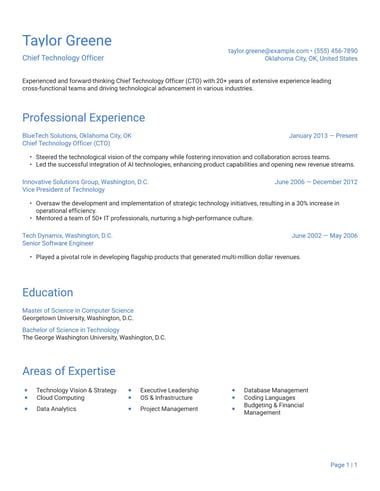
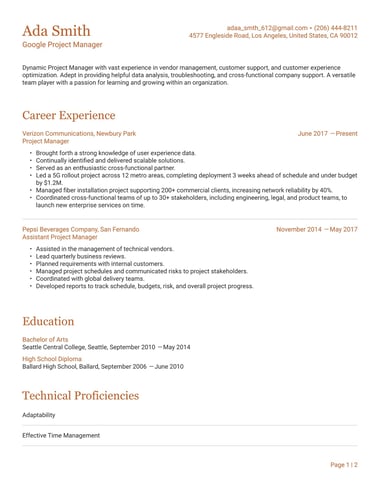
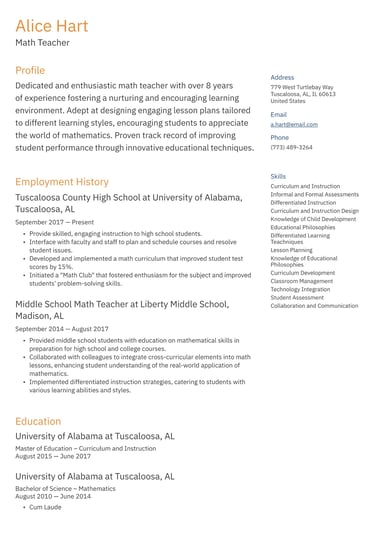
Each of these designs from the Resume.io library of resume templates applies the classic structure to a different career.
London template
Santiago template
Athens template
Key takeaways
- A classic resume template uses a formal header, standard headings, a traditional font, and a black-and-white color scheme.
- The reverse-chronological format is the most traditional, listing your most recent job first.
- Classic templates suit finance, law, healthcare, education, government, and accounting roles.
- Classic templates are highly ATS-friendly because they contain clean, readable text and no graphics.
- A modern template is the better fit when you want a touch of personality or work in a design-led field.
Frequently asked questions
A few questions come up often when choosing a classic resume template.
Is a classic resume the same as a traditional resume?
Yes, the two terms describe the same style. Both refer to a formal, reverse-chronological resume with standard headings, a conventional font, and a black-and-white design.
Some people say “classic” and others say “traditional,” but the layout rules are the same.
Should a classic resume include a photo?
No, a classic resume for US employers should not include a photo.
Most US hiring teams prefer resumes without photos, so the focus stays on qualifications.
Add one only if a job posting specifically asks for it.
Are classic resume templates outdated?
No, classic resume templates are not outdated.
The reverse-chronological layout remains the format most recruiters expect, and its clean structure reads well in applicant tracking systems.
A classic template only looks dated when the content does, so keep your skills and achievements current.